
All this AI.
Still scattered?
Your AI can explain quantum physics.
Your Tuesday still requires twelve tabs.
Start in Kryden: see your connected work, catch up on the day,
and pick up the next step with its context in view.
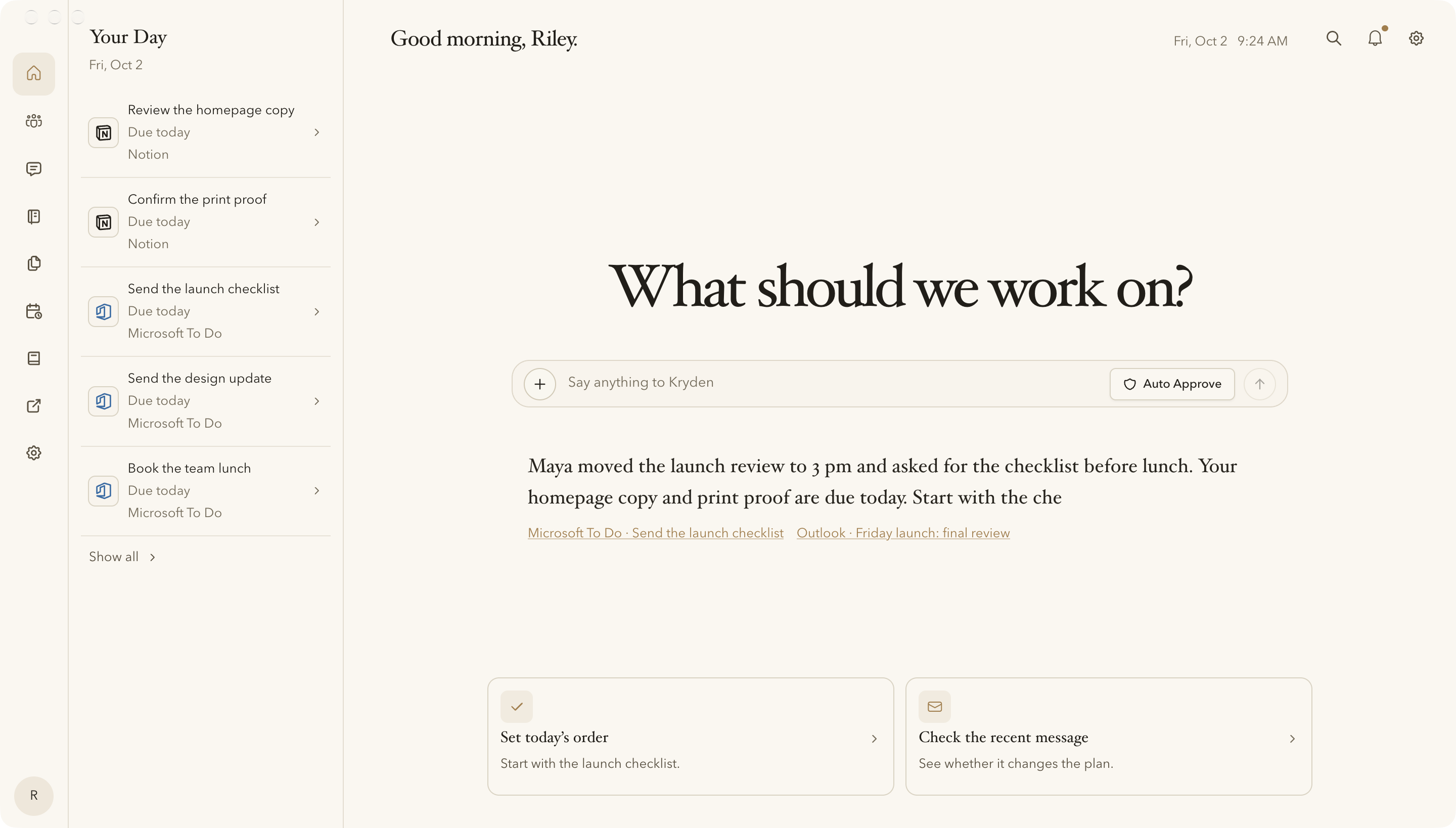
Real Kryden interface. Fictional records and illustrative briefing. Supported connections and permissions determine what appears.
Your to-do lists
need a to-do list.
One list for work. One for life. One you remembered halfway through lunch. Somehow, checking the lists became a task.
See tasks from your supported connected sources together. Keep the original source in sight, without checking each list just to find your next step.
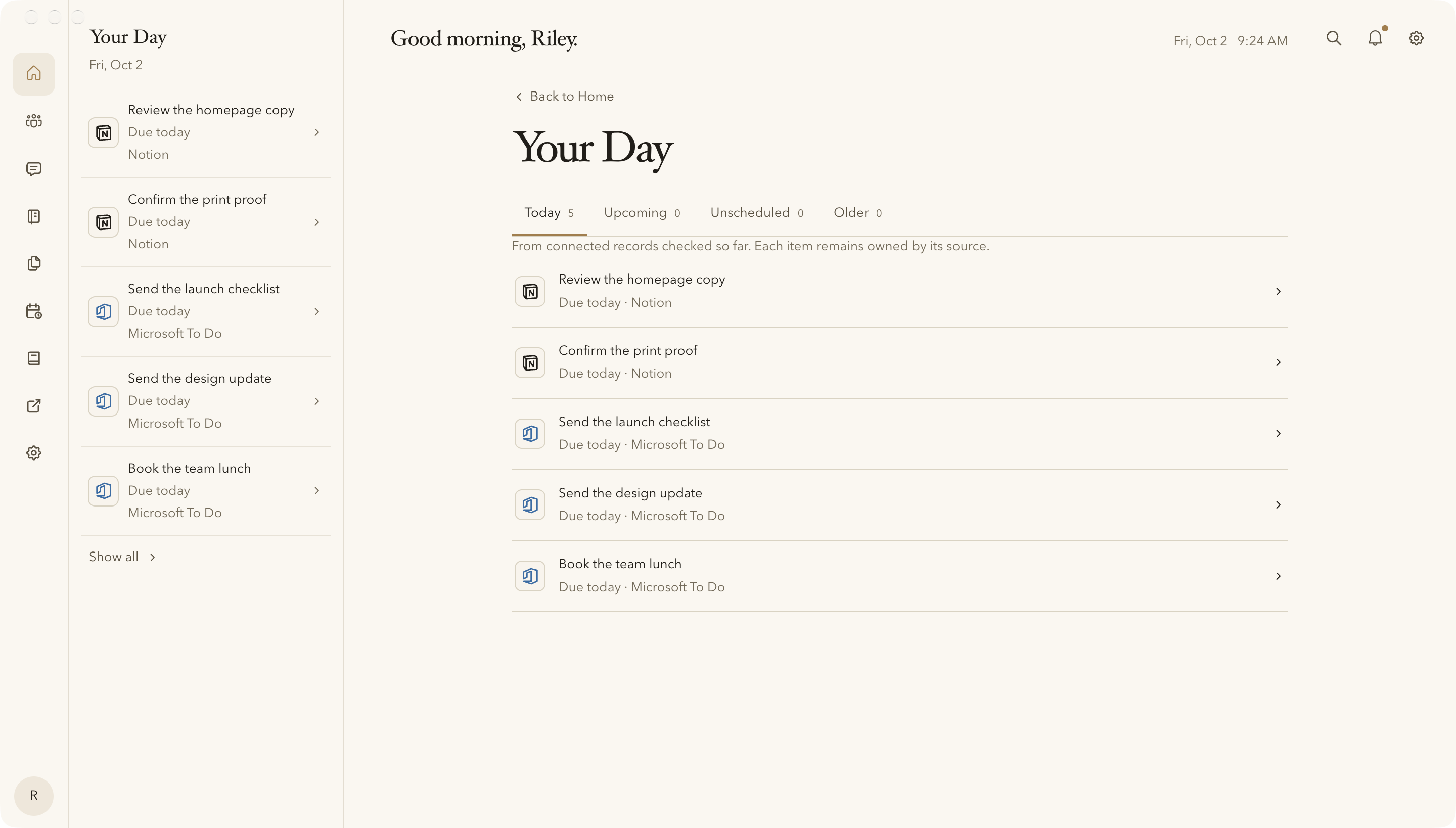
Actual agenda view with fictional data. The Notion records illustrate a custom mapping; they are not proof of a live-qualified Notion connection.
Maya told you.
Good luck finding where.
The email is in one place. Your notes are in another. Network brings accessible conversations, notes and related records together around a person—with the sources attached.
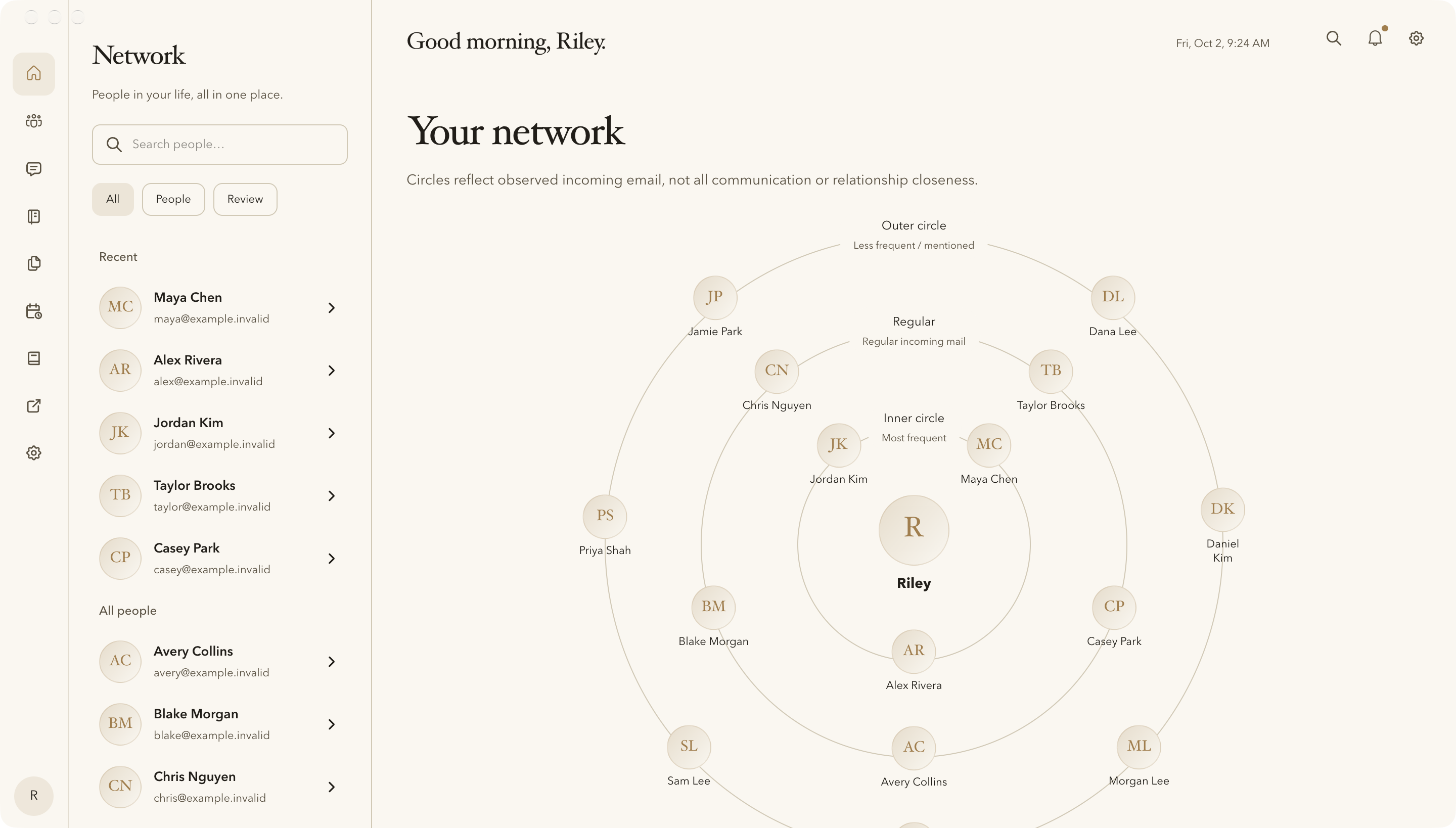
Actual interface · Fictional people and frequencies. Circles reflect observed incoming email, not closeness or everyone you know.
Her email. Your notes. Finally, together.
Her message. The launch notes. The checklist she’s waiting for.
See the context you have, without rebuilding it from memory.
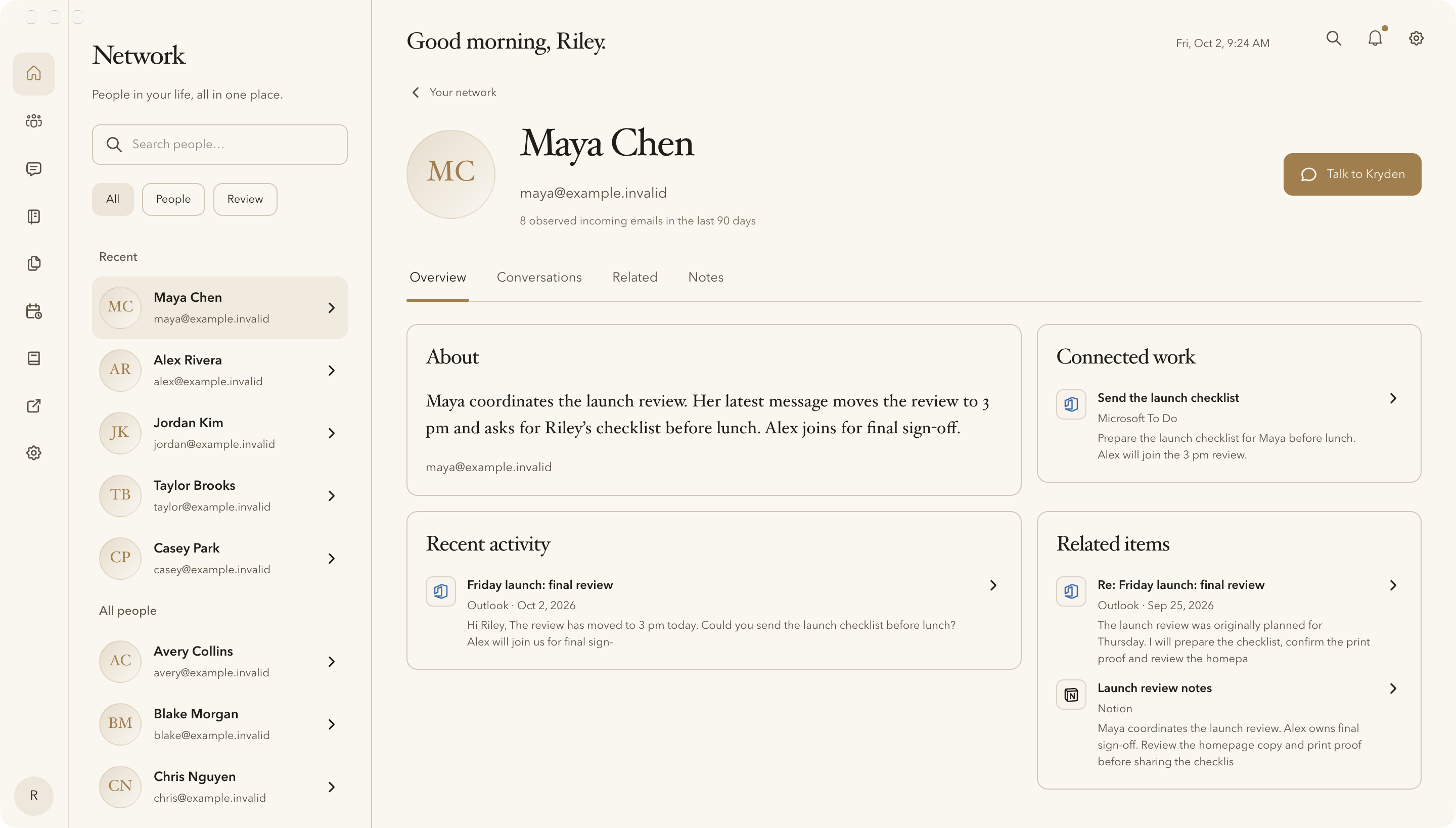
The same fictional Maya from Riley’s Home briefing. Accessible records and permissions determine the available context.
Your assistant needs a manager.
Apparently, it’s you.
Find the chat. Explain the project again. Copy the answer somewhere useful. Congratulations: you’re managing your assistant.
With the launch context in view, ask Kryden to put the work in order and prepare Maya’s reply. The draft is here for your review.
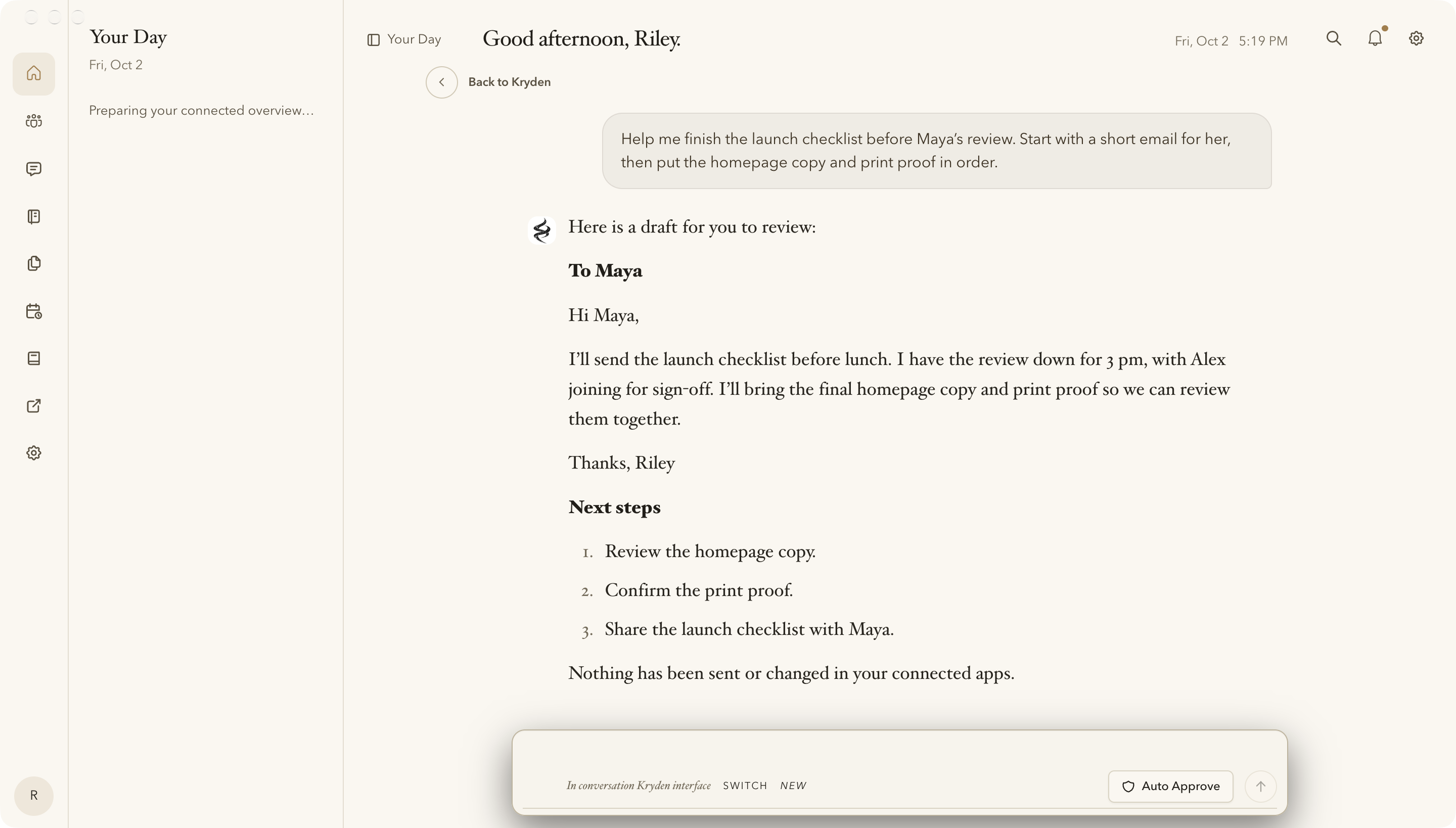
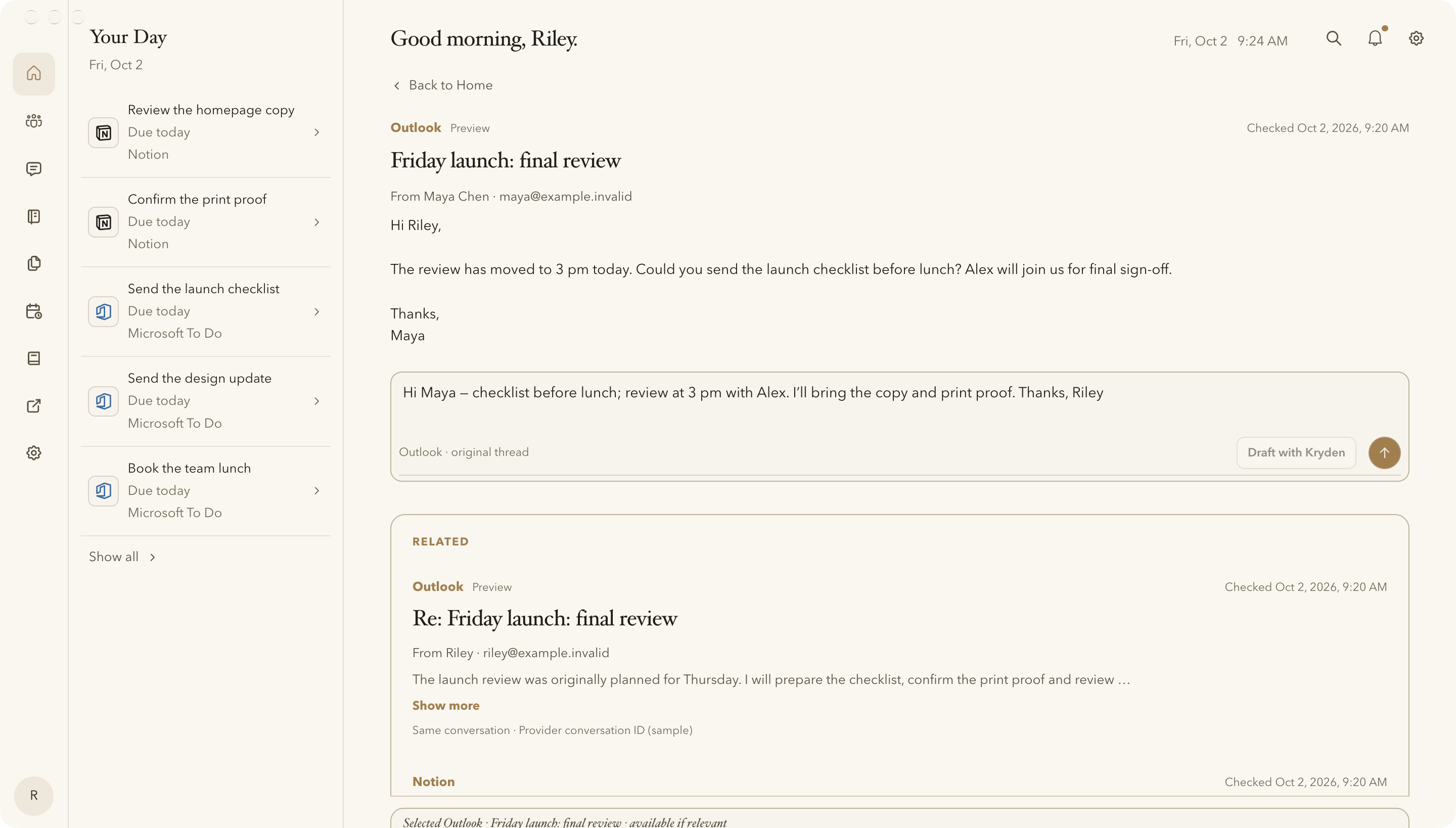
Actual interface with fictional conversation and draft content. Nothing sent, saved in Outlook or changed in connected apps. Available actions depend on supported connections and your authorization.
The fine print.
In human-sized print.
Kryden is a desktop AI assistant for connected work on macOS and Windows.
You choose the apps and access. Tasks and messages stay connected to their sources. Available actions depend on what each connection supports and what you authorize.
Start with a conversation, a file or an idea. Connect your apps when you’re ready.
Explore trust & privacy“Another AI tool?”
Fair question.
We know. Your browser barely survived the last one.
Before you close the tab
You could keep looking for something that brings it all together. Or you could try this and get on with your day.
Kryden is free to try. We’d love to be the reason you stop looking.
Download KrydenFree trial includes a limited welcome allowance. Download and account setup are required.